
MosaicHydro SBET Inspector
Open, check and compare Applanix POSPac and SBG Qinertia trajectory files (SBET and SMRMSG) without opening the processing software. See the track, the accuracy and how two solutions differ, in seconds.
After every INS or post-processed (PPK or IAPPK) job, someone has to answer the same questions. Is the trajectory complete? Is it accurate enough? Which processing run is better? Answering them usually means reopening the processing software or writing a script.
SBET Inspector answers them directly from the output files. Open an SBET and its accuracy (SMRMSG) file loads automatically. Open two or three solutions and the program lines them up in time and shows you exactly where, and by how much, they differ.
What it does
Check a trajectory
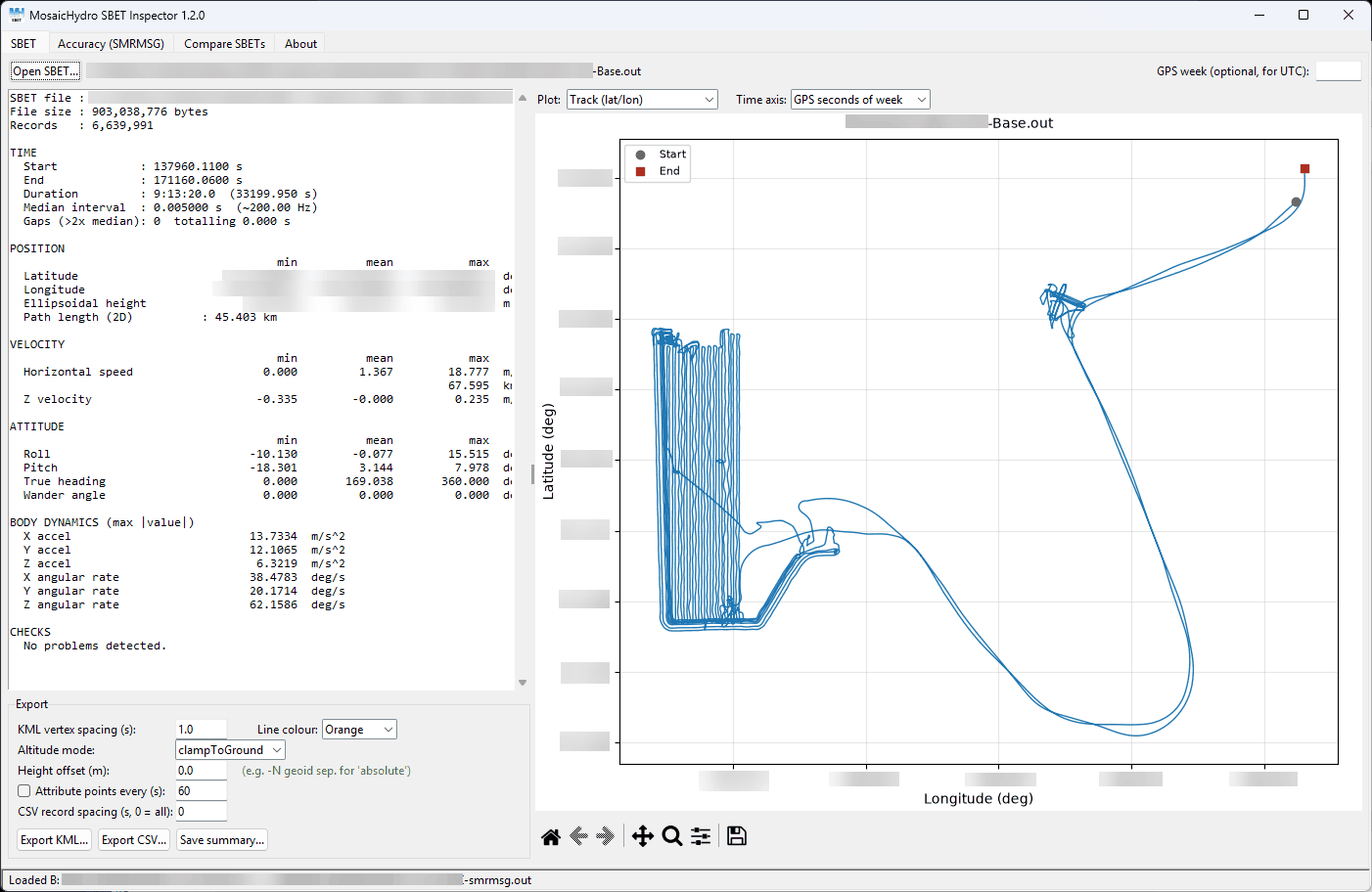
- Summary of records, time span, data rate and gaps, with ranges for position, velocity, attitude and body dynamics
- Plots of the track, height, attitude, speed, accelerations, angular rates and time step
- Automatic checks that flag data gaps and suspect values
Check the accuracy
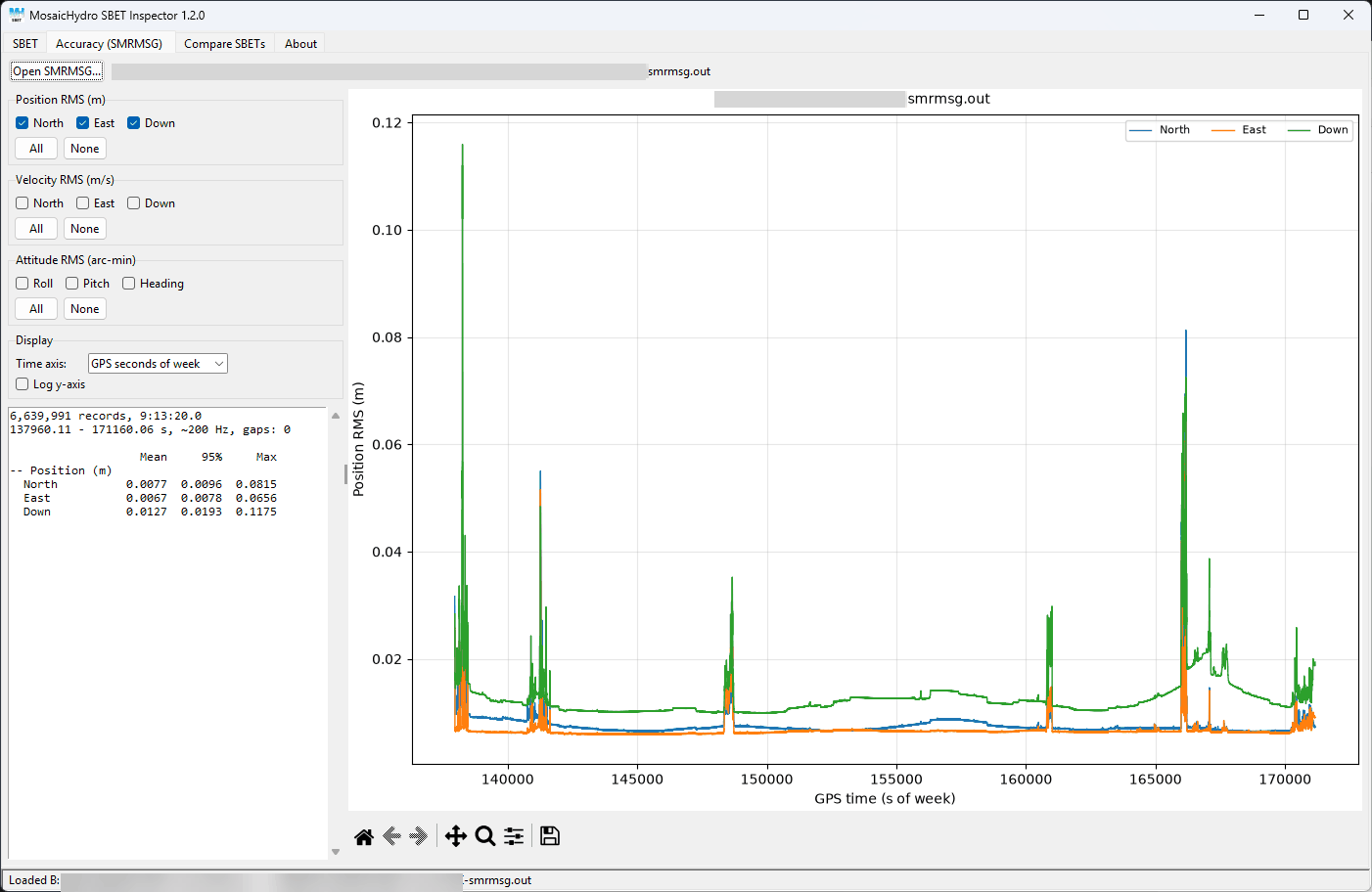
- Position, velocity and attitude RMS against time, in any combination
- Mean, 95% and maximum for each parameter
Compare solutions
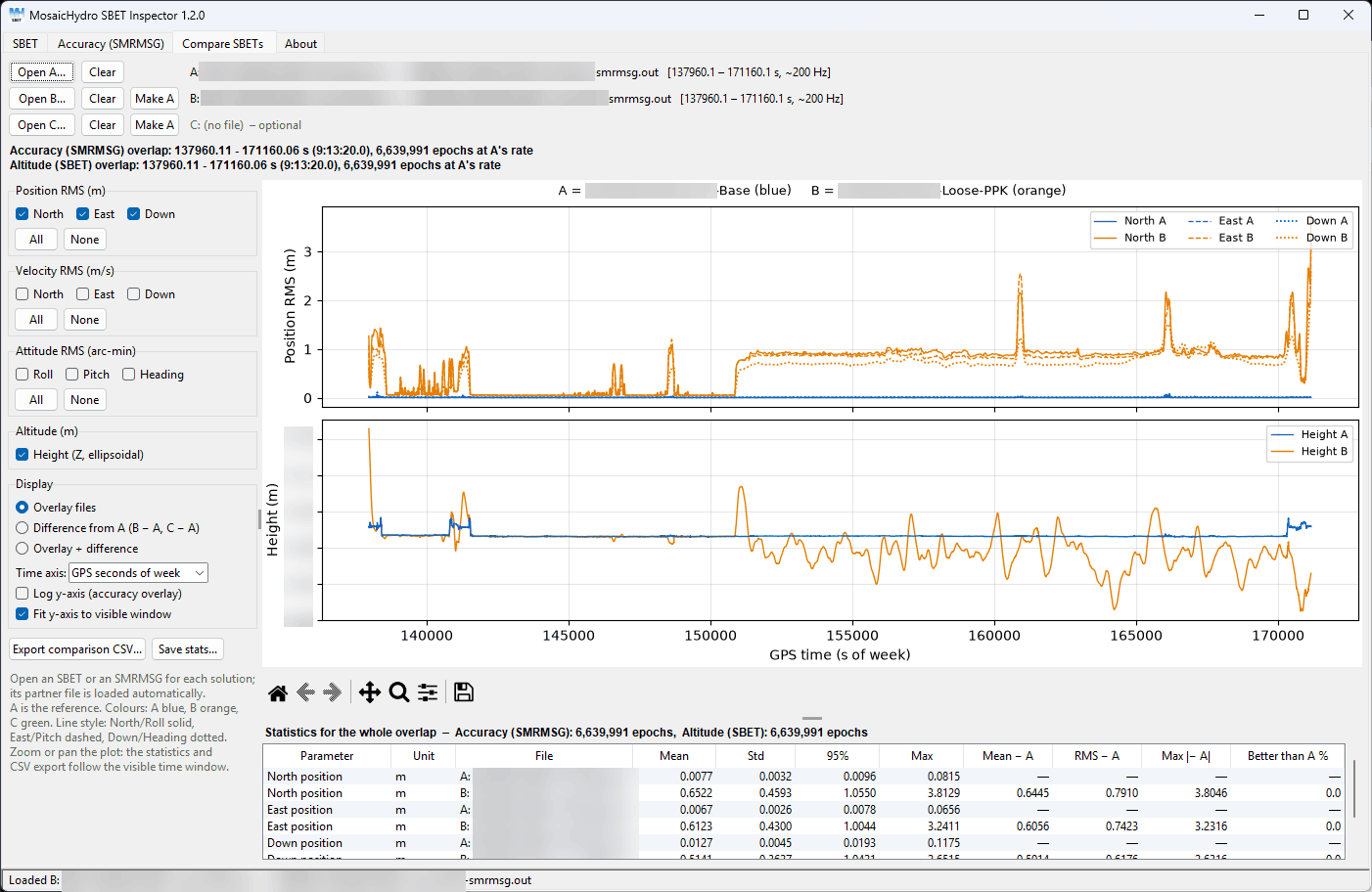
- Two or three solutions at once, for example tightly vs loosely coupled, or two base stations
- Accuracy and ellipsoidal height, overlaid or as differences from the reference
- Statistics and CSV export that follow the part of the plot you zoom into
Export
- KML for Google Earth, with optional clickable attribute points and time stamps
- CSV at any record spacing, and a text summary
Getting started
- Download the ZIP file and extract it. It contains the program and the user guide.
- Run MosaicHydro SBET Inspector.exe. Nothing needs installing.
- On the SBET tab, click Open SBET. Its SMRMSG file loads automatically if it’s in the same folder.
- To compare runs, open the Compare SBETs tab and add solutions B and C.
Works with SBET and SMRMSG files from Applanix POSPac and SBG Qinertia. Questions or suggestions? Email tools@mosaichydro.com.
Provided free of charge, as is, with no warranty. The program is code-signed by Mosaic Hydrographic Services (Canada) Ltd.