MosaicHydro Tools: offline calculator bundle
The MosaicHydro multibeam calculators, two survey file analyzers and a set of everyday conversion tools in one Windows program. No internet connection, installation or account needed.
Survey work doesn’t always happen within reach of Wi-Fi. MosaicHydro Tools puts the planning and calibration calculators from this website on your laptop, so they work on the vessel, in the field office or anywhere else without a connection.
Pick a tool from the sidebar, enter your values and get the answer. The program is a single file with nothing to install or configure.
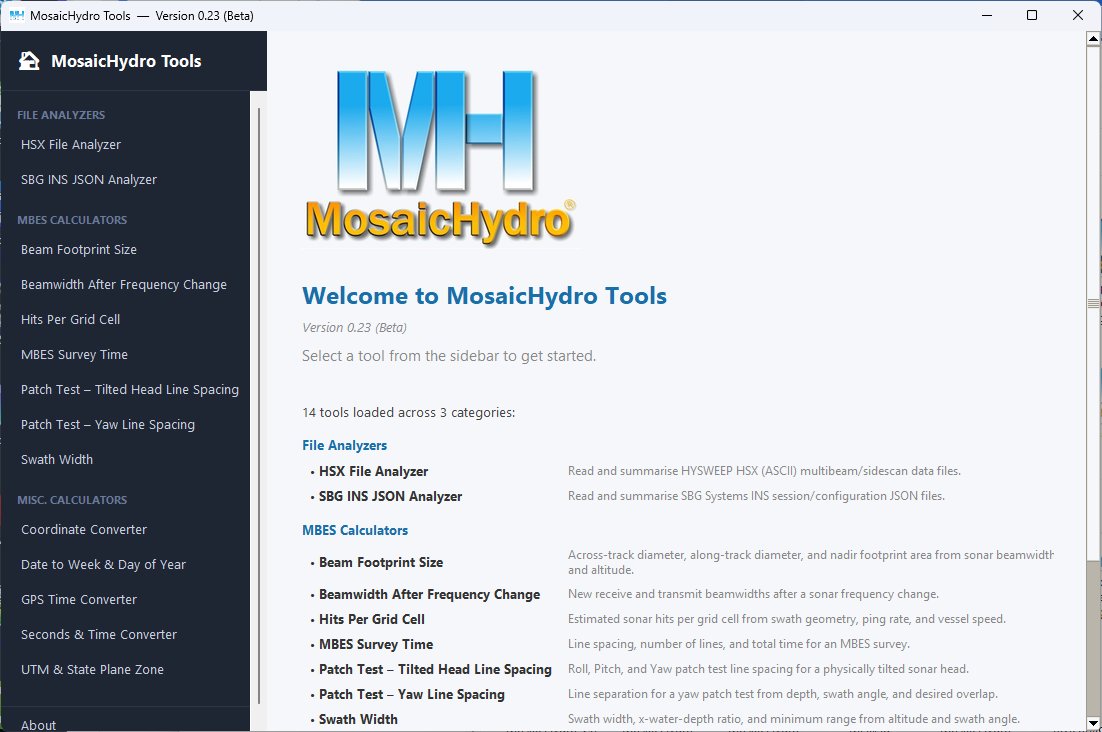
What’s included
Multibeam calculators
- Swath WidthSwath width, water-depth ratio and minimum range from altitude and swath angle.
- Beam Footprint SizeAcross- and along-track footprint and nadir footprint area from beamwidths and altitude.
- Hits Per Grid CellEstimated soundings per grid cell from swath geometry, ping rate and vessel speed.
- MBES Survey TimeLine spacing, number of lines and total survey time.
- Beamwidth After Frequency ChangeNew transmit and receive beamwidths after a sonar frequency change.
- Patch Test: Yaw Line SpacingLine separation for a yaw patch test from depth, swath angle and overlap.
- Patch Test: Tilted Head Line SpacingRoll, pitch and yaw patch test line spacing for a tilted sonar head.
File analyzers
- HSX File AnalyzerReads and summarises HYSWEEP HSX multibeam and sidescan data files.
- SBG INS JSON AnalyzerReads and summarises SBG Systems INS session and configuration files.
Conversion tools
- Coordinate ConverterLatitude and longitude between decimal degrees, degrees-minutes and degrees-minutes-seconds.
- GPS Time ConverterBetween UTC, GPS time, GPS week and seconds of week, and Unix time.
- Seconds & Time ConverterElapsed seconds to day and time, and back.
- Date to Week & Day of YearCalendar date to week number and day of year.
- UTM & State Plane ZoneUTM zone and State Plane designation for any latitude and longitude.
Getting started
- Download the ZIP file and extract it.
- Double-click MosaicHydroTools.exe.
- Choose a tool from the sidebar.
This is a beta release and more tools are on the way. Found a bug, or want a calculator added? Email tools@mosaichydro.com.
Prefer to work in a browser? The same calculators are on the Calculators page.
These tools are informational, provided without warranty or cost, and should not be relied upon when planning any survey where financial or safety factors are present. MosaicHydro is not responsible for the consequences of any decisions or actions taken in reliance upon the information they provide.